Available on the App Store and Google Play
Get αBook
Your books’ digital keyring!
Turn any paper book into a connected digital experience with the alfaBook app.


A few helpful tips
Small things to make the app your own. Tap an image to enlarge.
-
PIN 1234
Adding an αBook label to your book
Use PIN 1234 the first time you attach an αBook label to a book you own.
-
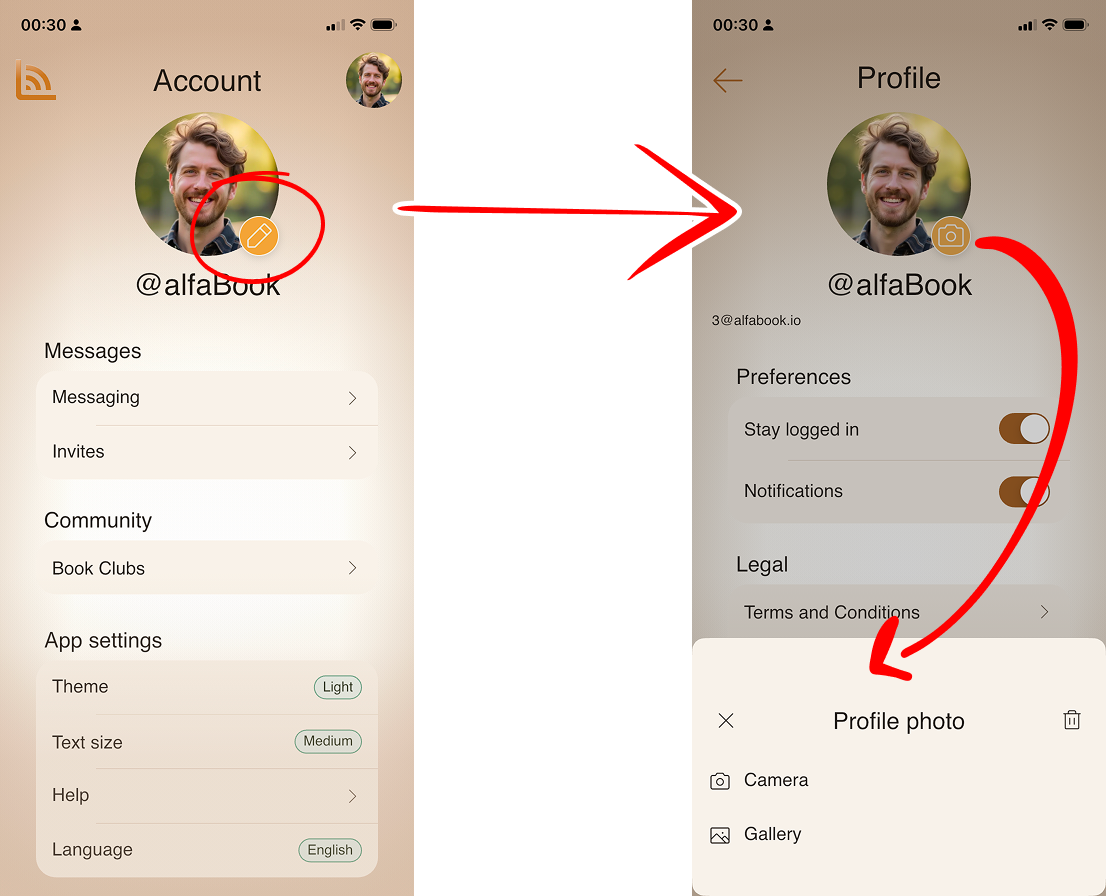
Add your profile photo Make your account feel like you.
-
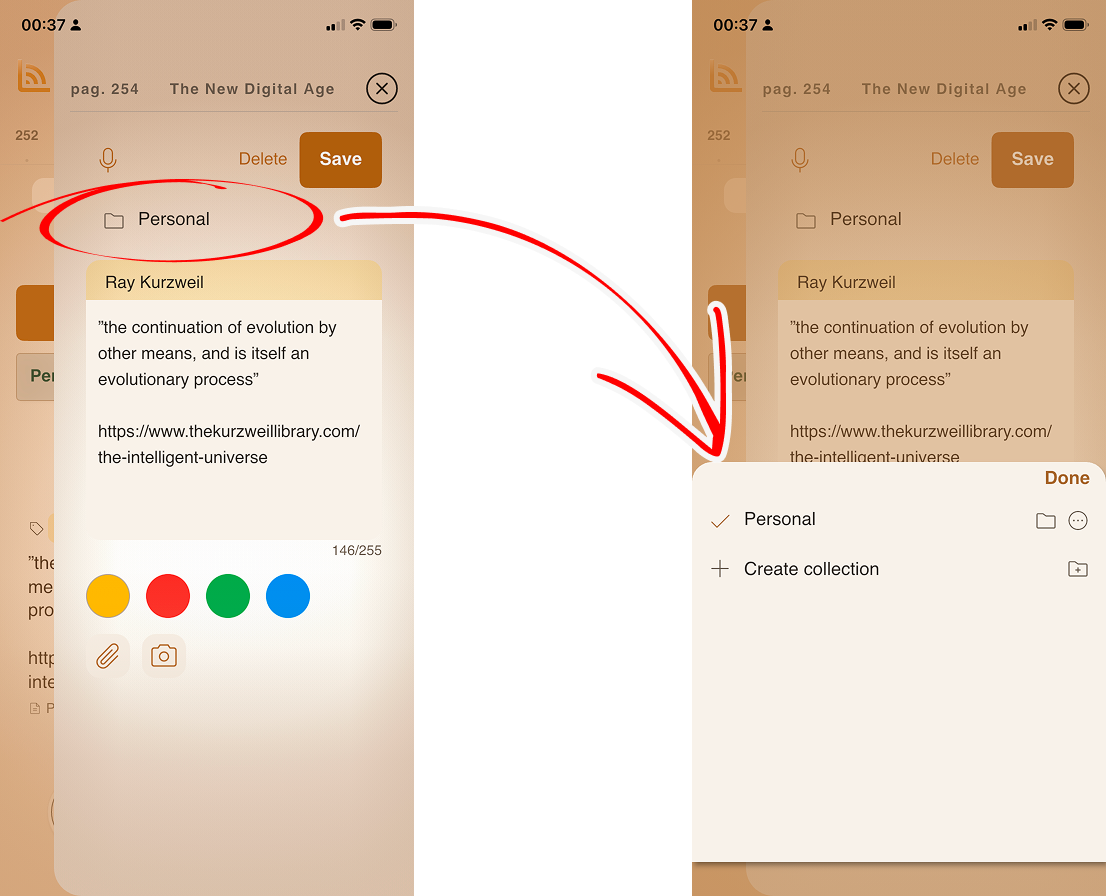
Organize your annotations Create your own collections for notes.
-
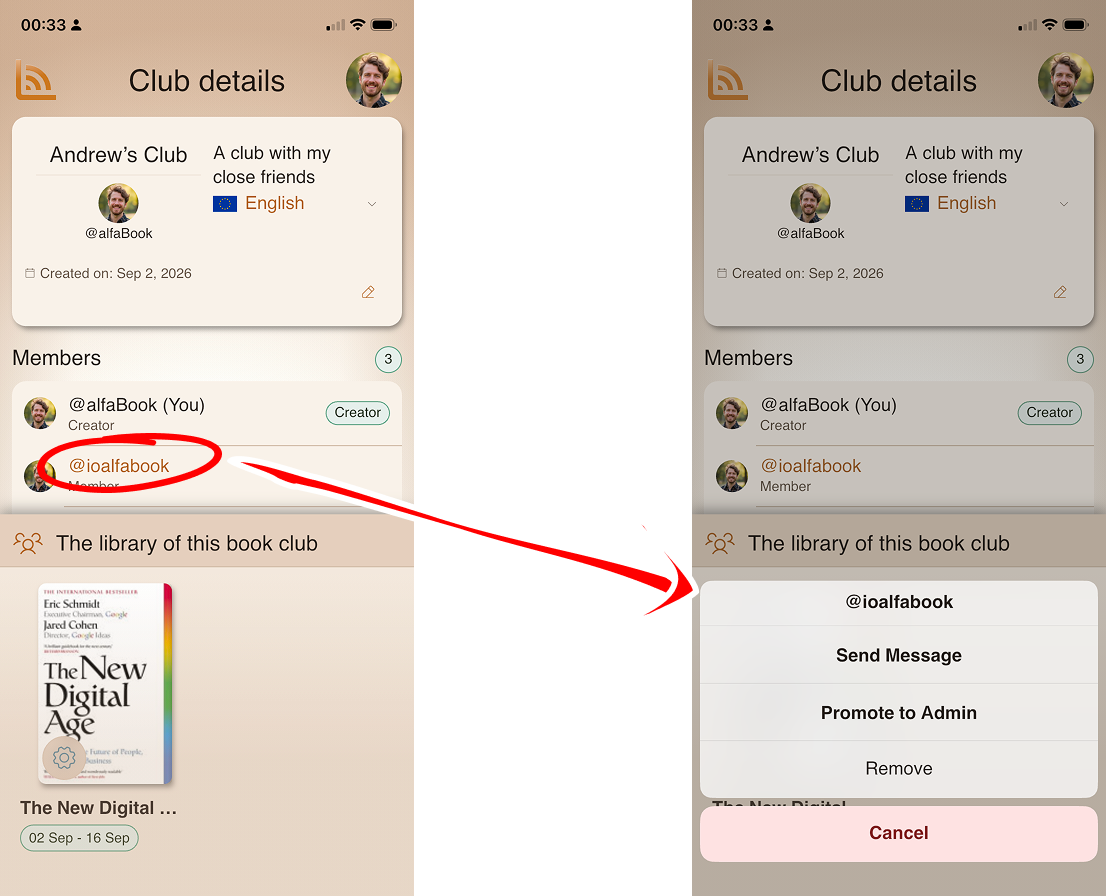
Manage club members Member options for club admins and creators.